

Non-accommodation bookings
Non-accommodation bookings refer to bookings that are made outside the normal room type accommodation booking such as packages, day visitors, spa or conference room bookings. These do not necessarily relate to bednights but they still have other elements of a an accommodation booking such as dates, rates and availability.
Packages
There are several ways to create Packages in ResRequest. All of them require you to set up a separate Package Rate Type. (Also, if the rate type is separate, the Packages rate types can be excluded from Revenue reports where needed, i.e You will have the ability to report on Packages revenue separately).
There are several ways to deal with packages in ResRequest, take a look at the options and use a method that suits your workflow.
Consider this test case as an example of a Package:
Package: Bush & Beach Extravaganza: $1000 pppn
– 2 nights at Safari Camp (third party property)
– 2 nights at Beach Lodge (your property)
– Transfers between the properties
Option 1
Divide the Package Cost by the number of nights at your Property and make it a simple pppn rate.
- You book your Property for 2 nights, using a Package Rate Type, with a rate of $500 pppn (Option 1a)
- Disadvantages / considerations when using this method:
- The pppn cost that client sees on Res Documents is not accurate.
- If the Package cost isn’t easily divisible by the number of nights, you end up with rounding issues. i.e. If your Package is $1000, and they spend 3 nights at your Property – how will you divide that into a pppn rate?
- You cannot easily see from Res Documents that a Package has been booked. The only clue is in the Rate Type. To get around this – you could add an Extra called “Bush & Beach Package” with no cost – so you can easily see they have booked a Package. (Option 1b)
- You have to have a different Rate Type for every Package you have.
- You cannot easily see what the Package entails. Unless – you add Extras for each sector of the Package. (Option 1c)
Option 2
Book your Property as normal, at a 0 cost. Add an Extra with the Package Cost. (Option 2)
- You book your Property for 2 nights, using a Package Rate Type, with a rate of $0 pppn
- You then add an Extra called “Bush & Beach” with a cost of $500 pppn
- Disadvantages / considerations when using this method:
- You cannot easily report on Package Revenue, because the full amount is contained in an Extra.
- You need to create different Extras for Single / Children etc, and for different seasons.
Option 3
Book a Package Property with the full cost of the Extra, book accommodation for correct dates and numbers at a $0 cost. Add Extras to reflect the other accommodation etc at a $0 cost.
- Create a Property called Package – this should be excluded from all Bednight Reports, but included in Revenue Reports
- Create individual Accommodation Types for each kind of Packages (e.g. an Accommodation Type called “Bush & Beach”).
- Book 1 night at the Package Property for the correct number of pax (to price the package), and then book the actual legs of the Package at zero cost.
- Components can be set up on the Rate, to disburse the actual package costs, so you can accurately report on Revenue.
- You could also book $0 cost Extras for the external components of the Package (Option 3a):
- Book an Extra for 2 nights, at $0 cost, called “Safari Camp”.
- Book an Extra on 1 day, at $0 cost, called “Transfers”
- You could also create these as faux Accommodation Types under your Package Property – if you have a limited number of Options. And purely for the sake of Documentation. (Option 3b)
- Disadvantages / considerations when using this method:
- The disadvantage of this method is the complexity in setting it up, and the steps needed to book a Package. It is however, we feel, the most accurate way of booking a package.
Spa
You might have a Spa at the lodge which can be enjoyed by both overnight guests as well as day visitors. You can either set up the Spa as an accommodation type, or it could be booked as an Extra only.
Let’s have a look at what options are available to you to accommodate Spa bookings in your system.
To set up the Spa as an accommodation type, there are different ways this could be done, depending on your preference. Generally, the Spa accommodation type would be set up with a zero rate, and the charge would be inserted using Extras.
Booking Spa treatments using time-slots:
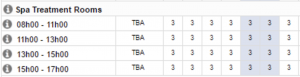
Booking Spa Treatments as a general accommodation type:

Day Visitors
“Day Visitor” refers to customers who visit your lodge and make purchases or participate in activities, but do not stay overnight. These customers need to be issued an invoice for their purchases, and the revenue should be tracked separately from your standard accommodation types.
Generally, our clients opt to set up a “Day Visitors” accommodation type which is linked to a zero rate. All charges generated by the day visitor would then be added as extras for that particular cash folio on the “Day Visitor” booking. We recommend setting up 1 “Day Visitor” reservation per day, and closing off the cash folios at the end of each day.
Let’s have a look at how a Day Visitor reservation is set up, and how it would look in your system:
- Day Visitor accommodation type, with zero rate:

2. Creating a Day Visitor reservation per day for all day visitors on that particular day would look something like this:
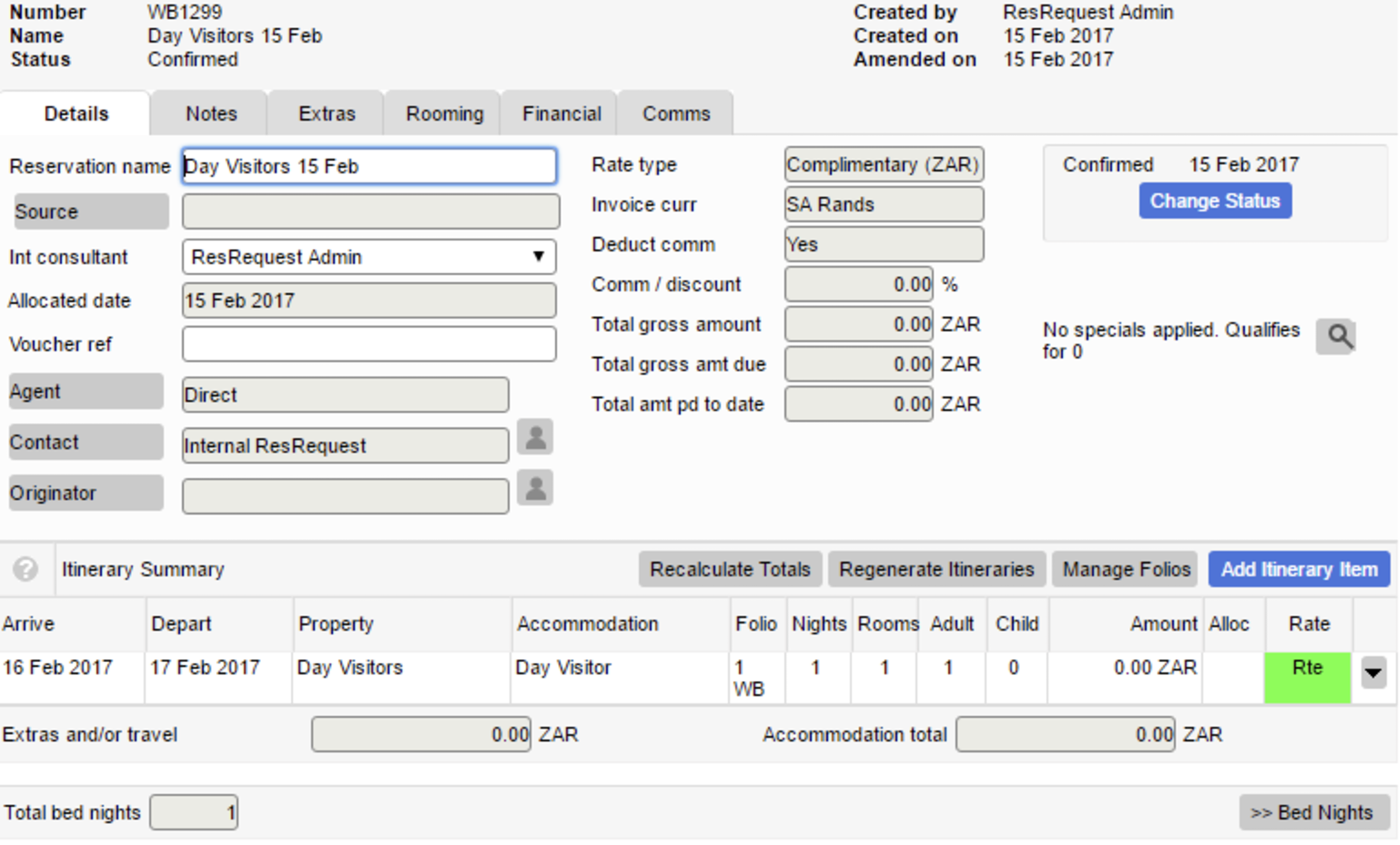
- As required, open separate folios for each of the day visitors. You can either add these visitors as guests, or charge the folio to cash if it is a once-off transaction:
(To find out how to manage the financial folios see the Managing Folios tutorial)
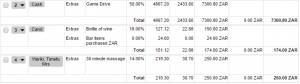
As you can see in the image above, there is one cash folio for a game drive and it is not specific to a guest. Folio 2 and 3 are linked to specific guests, which are most likely regular day visitors or locals who frequent the lodge.
By opening separate folios for the different day visitors, you can invoice each day visitor separately and keep track of revenue generated by day visitors (using the Financial Analysis Reports).
Conference Room
A conference room’s availability, like the other non-accommodation items, can be managed from the Availability Calendar by setting it up as an accommodation type. The way the conference room is managed will depend on how it is set up – let’s have a look at some examples:
Some conference rooms are only available to be booked for one day at a time:

There may be multiple conference rooms that are set up as separate “rooms” to be booked:
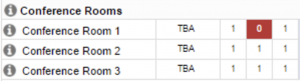
Another option is to book the conference room using time-slots:

With regards to pricing, daily rates may be used for the conference room which can be set up as a specific rate type. Alternately, if there are various options for the conference room pricing, the pricing options could be listed and added as extras when needed.
The format of non-accommodation bookings is dependent on your work processes and ultimately is a process decision by your management team.


Visit our website